 DocuFlow
Everyday document work, in one place.
Merge, convert, sign and protect PDFs, write official letters and Sifarish in Nepali, and see the change on the page before you download it.
Files leave your device only when you run a tool or save them to your library, and they go to your DocuFlow engine.
Sign in with your organisation's account. There is no separate DocuFlow password.
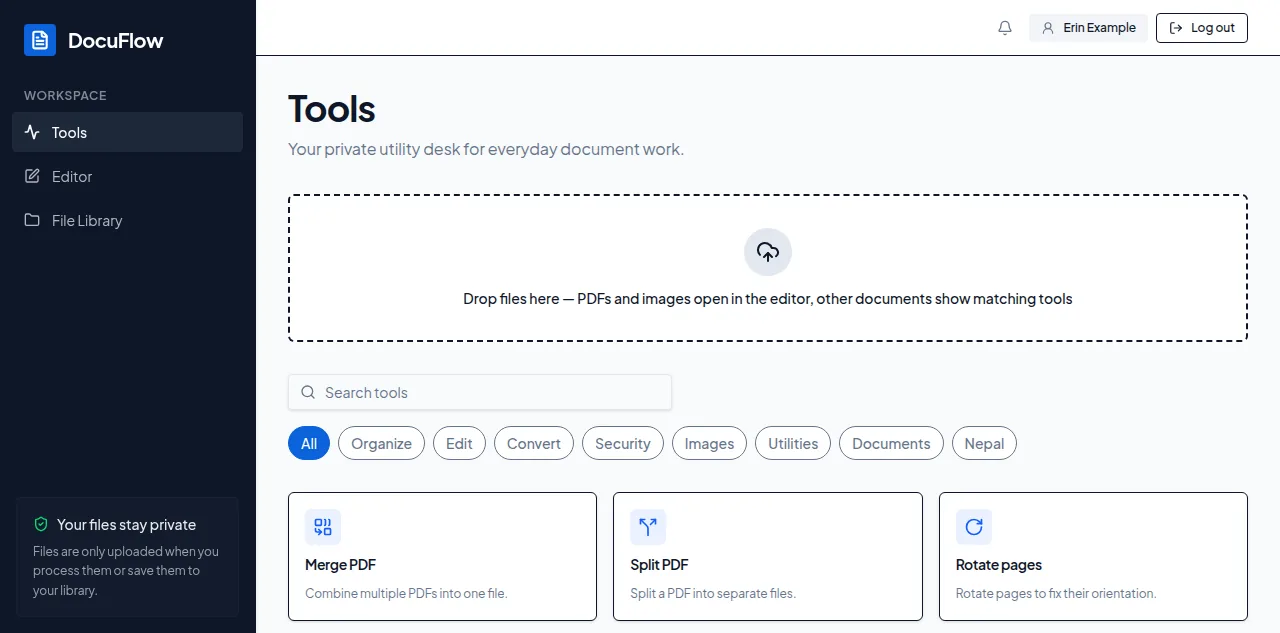
All the tools, in one place
47 tools for PDFs, images, conversions, letters and Nepali.
Organize
Merge PDF
Combine multiple PDFs into one file.
Split PDF
Split a PDF into separate files.
Rotate pages
Rotate pages to fix their orientation.
Delete pages
Remove unwanted pages from a PDF.
Rearrange pages
Change the order of pages in a PDF.
Extract pages
Pull specific pages out into a new PDF.
Compress PDF
Shrink a PDF's file size.
Add blank pages
Insert blank pages before or after any page in a PDF.
Add page numbers
Stamp page numbers on every page.
N-up layout
Lay multiple pages out on each printed sheet.
Booklet
Impose pages as a foldable booklet.
Edit
Add watermark
Stamp text or a logo onto every page.
Edit as image
Edit a PDF page like an image.
Sign PDF
Stamp a signature image onto selected pages.
Black out parts of a PDF
Remove text or pictures from a PDF — blacked out or blurred.
Fill PDF forms
Fill in a PDF's form fields and save the result.
Convert
PDF to images
Export PDF pages as image files.
Images to PDF
Combine images into a single PDF.
PDF to text
Extract a PDF's text content.
OCR (make searchable)
Make a scanned PDF searchable.
Word/Excel/PowerPoint to PDF
Turn a Word, Excel, PowerPoint, OpenDocument, RTF or text file into a PDF.
PDF to Word (best effort)
Turn a PDF into an editable Word document. Layout may differ.
PDF to Excel (best effort)
Turn a PDF into an Excel or LibreOffice spreadsheet — a sheet per page or everything in one; tables become real cells.
PDF to PowerPoint (best effort)
Turn a PDF into an editable PowerPoint. Each page becomes a slide with editable text.
HTML to PDF
Render an HTML file or a public web page to PDF.
PDF to HTML
Export a PDF's pages as one self-contained HTML file.
PDF to Markdown
Export a PDF's text as a Markdown document.
Security
Protect with a password
Add a password to a PDF.
Remove a password
Remove a PDF's password.
Flatten PDF
Render annotations and form fields into page content.
Sanitize PDF
Strip hidden metadata, attachments, JavaScript and links.
Images
Resize image
Change an image's dimensions.
Compress image
Make a photo's file size smaller.
Remove background
Erase an image's background.
Convert images
Convert images between PNG, JPG, WebP, TIFF, SVG and more — HEIC photos included.
SVG to image
Turn an SVG into a PNG, JPG or WebP at any size.
Image to SVG
Trace a logo, icon or drawing into scalable vector shapes.
Rotate image
Rotate and/or flip an image.
Utilities
QR code
Generate a scannable QR code.
Barcode
Generate a Code128 or EAN barcode.
Edit metadata
View and edit a PDF's title, author and other document metadata.
Compare PDFs
See what changed between two versions of a PDF.
Repair PDF
Attempt to repair a damaged or invalid PDF.
Documents
Letter templates
Make official letters from templates — fill in a form, see the letter, download the PDF.
Nepal
Bikram Sambat ⇄ AD
Convert dates between Bikram Sambat and AD.
Nepali typing
Type Nepali with an English keyboard, or convert old Preeti text.
Sifarish letters
Nepali recommendation letters from your workspace's templates.
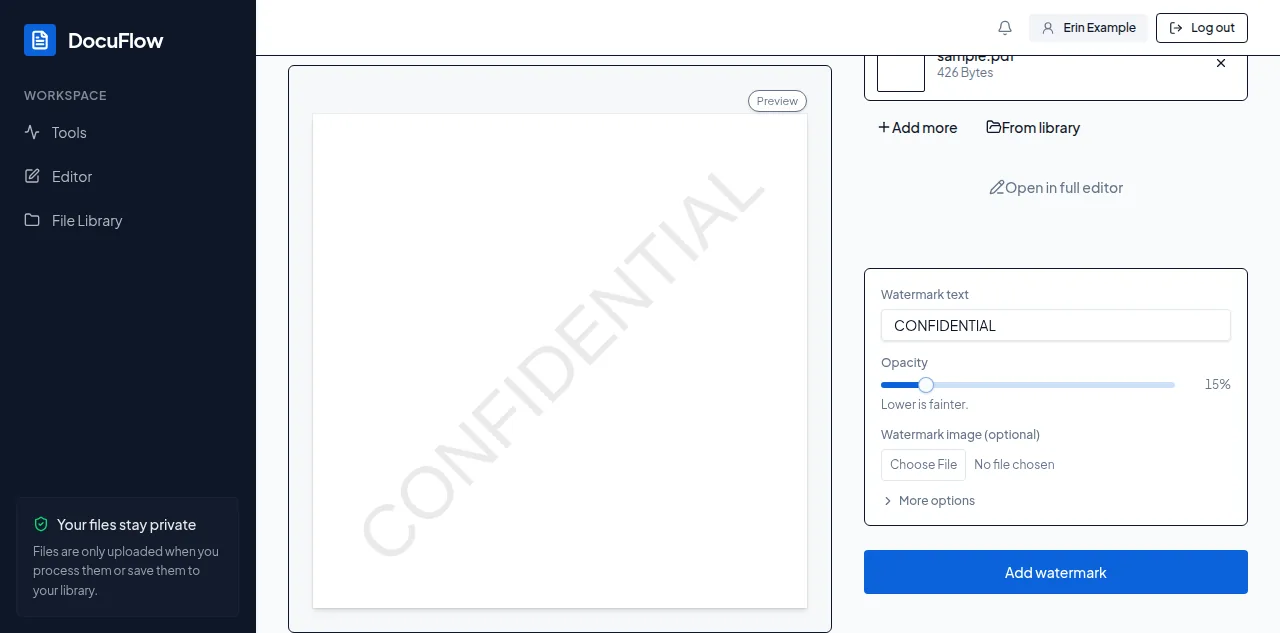
See the change before you download
Watermarks, signatures, page numbers and resized images appear on the page as you set them.
What you see is what the file will look like.
When it looks right, one button gives you the file.
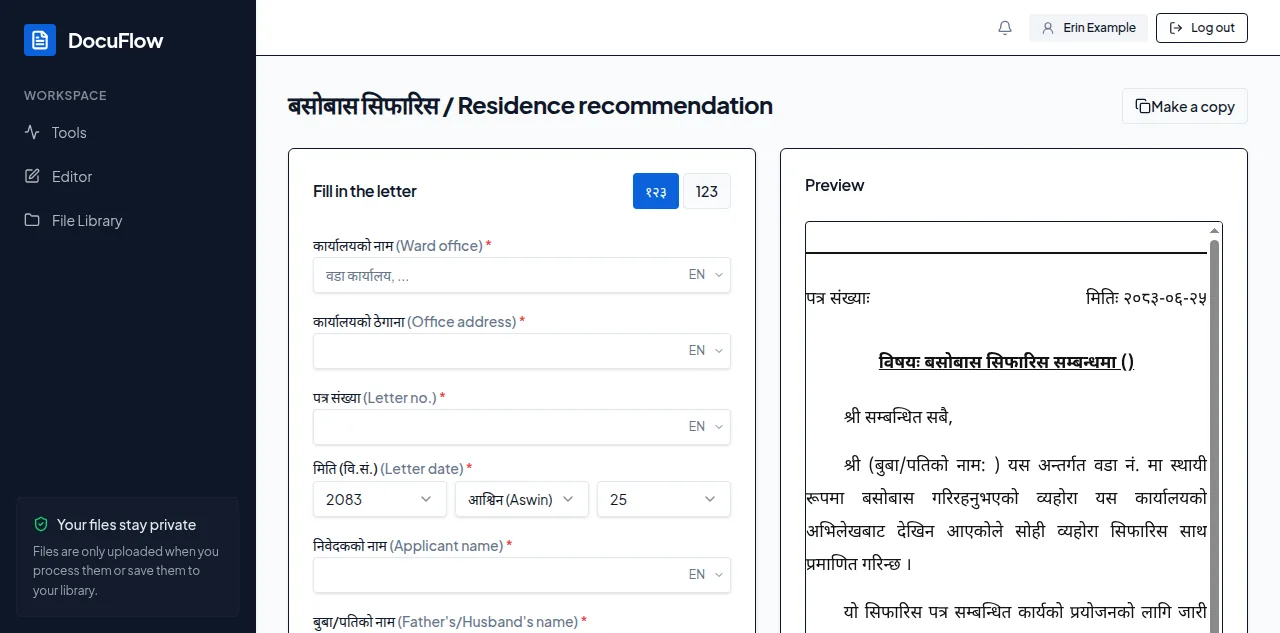
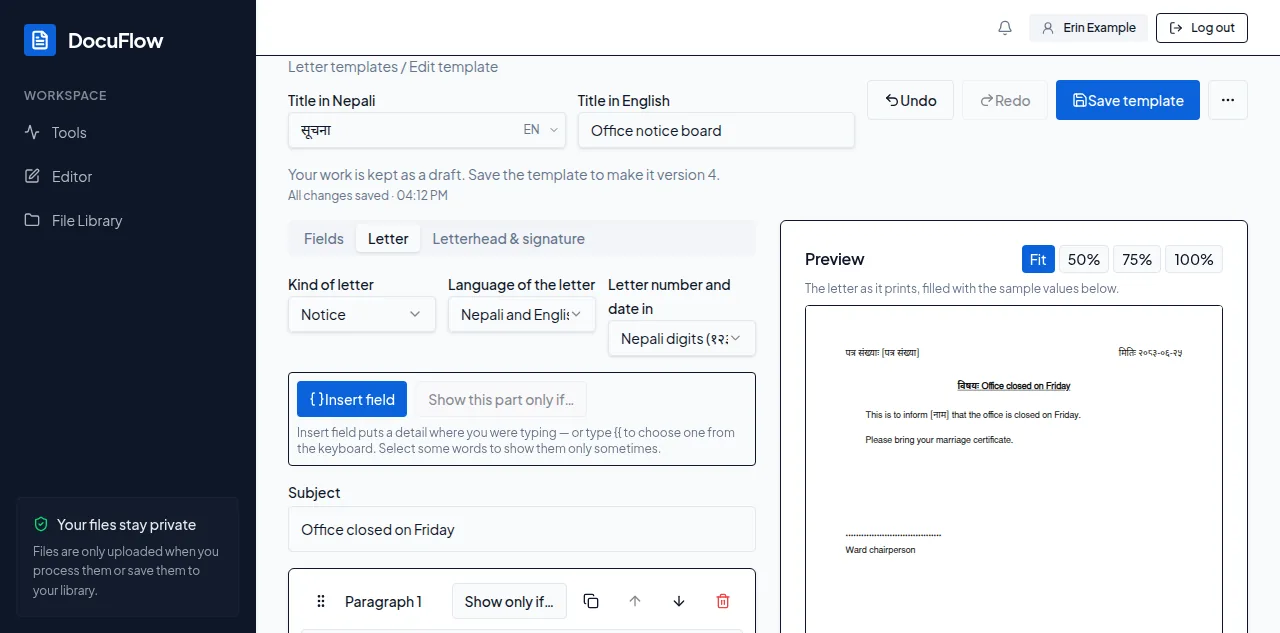
Letters and Sifarish
Choose a template, fill in its form and watch the letter take shape on an A4 page.
Download it as a PDF, save it to your library or print it, with Nepali (१२३) or Latin (123) digits.
Use your workspace's templates or make your own in the builder, and copy one of the two Sifarish samples to start from.
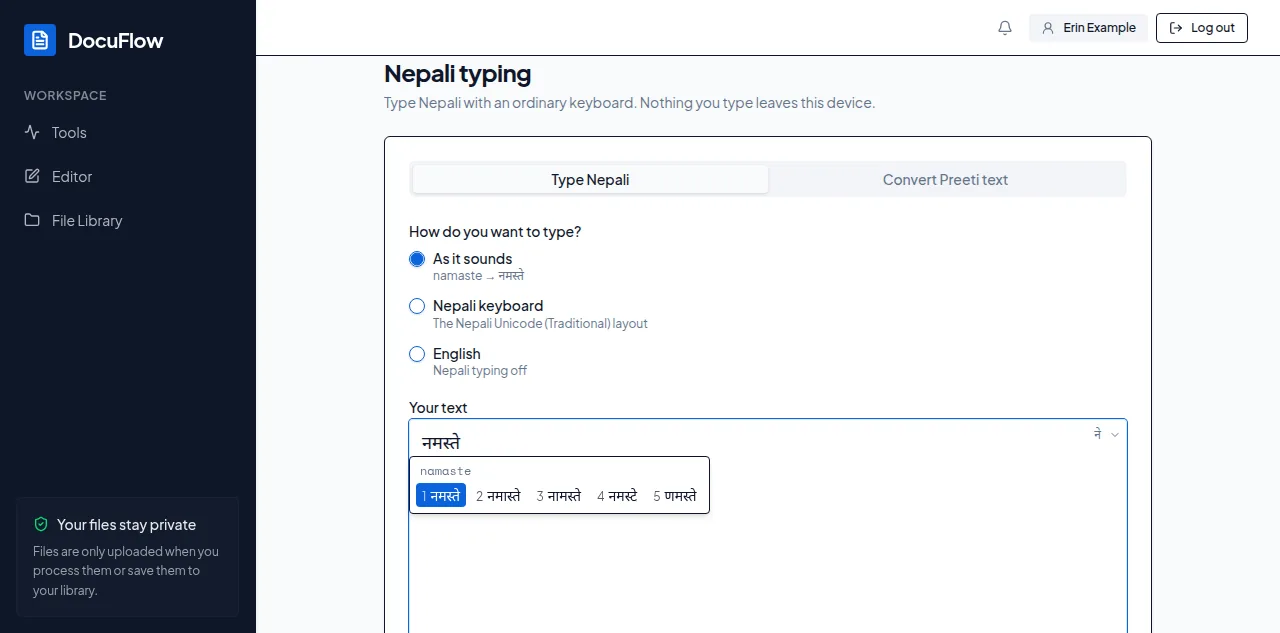
Type in Nepali
Type Nepali as it sounds (namaste → नमस्ते) or with the Nepali (Traditional) keyboard layout, and turn old Preeti text into Unicode.
It runs on your device, so nothing you type is sent anywhere.
The same switch works in letter forms, and Bikram Sambat ⇄ AD converts dates.
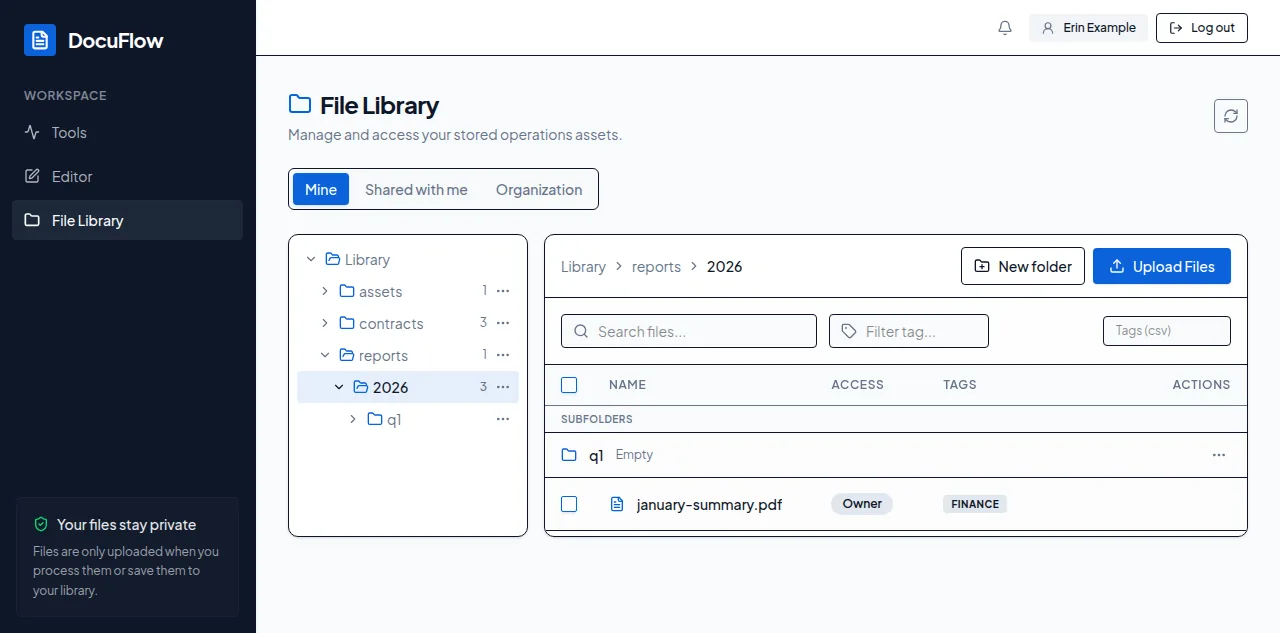
Keep your files in folders
Save results to your library and keep them in folders, with folders inside folders.
Share files with people in your workspace.
Works offline on the desktop
The desktop app opens without signing in.
Compress PDF, Add watermark, PDF to images, PDF to text, Compress image, Remove background and Nepali typing run on the computer itself, and OCR does too once its language pack is there.
Your work syncs to your account after you sign in.
The desktop app isn't available to download yet. Email us to hear when it is.
For organisations
Run DocuFlow on your own servers, or have it hosted by Xelvian.
People sign in with your organisation's own accounts.
Administrators manage who has access and see an activity log of what everyone has done.
Google Drive and OneDrive are connected once, for everyone.
नेपालीमा DocuFlow
DocuFlow कार्यालयको दैनिक कागजातको काम एकै ठाउँमा गर्ने औजार हो: PDF जोड्ने, छुट्याउने, सानो बनाउने, रूपान्तरण गर्ने, हस्ताक्षर र पासवर्ड राख्ने। टेम्प्लेटबाट सिफारिस र आधिकारिक पत्र बनाउनुहोस्; फारम भर्दै जाँदा पत्र A4 पानामा देखिन्छ। अङ्ग्रेजी किबोर्डबाटै नेपाली टाइप गर्नुहोस् (namaste → नमस्ते), पुरानो प्रीति पाठलाई युनिकोडमा बदल्नुहोस्, र बिक्रम सम्बत् र ईस्वी मिति बदल्नुहोस्।